|
|
|
|
|
BlueCielo Meridian Enterprise 2012 User's Guide | BlueCielo ECM Solutions |
Copying a master document to a project makes a copy of an existing master document to a project folder and links the project copy to the master document. This is similar to creating a new document as a derivative of an existing document. The purpose of the copy is to be further developed in the course of the project for eventual release as a new revision of the master document. For example, an as-built facility drawing may need to be modified as part of a facility upgrade or expansion. Yet, the as-built drawing needs to remain accessible by facility managers until the project is complete. The solution is to create a project copy of the as-built drawing (master document) into a project folder, optionally locking the as-built drawing against other revisions. The project copy may then be modified as necessary without affecting the as-built drawing.
To copy a document to an existing project:
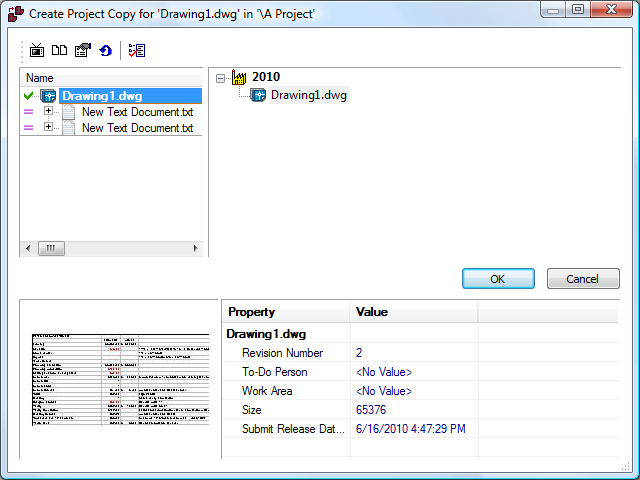
 . Documents that will not be copied are indicated with an equals sign icon
  . To also copy specific reference documents to the project folder, right-click the document name that you want to copy and select Select for Copy. To copy the selected document and all of its child reference documents, select Select Entire Branch for Copy. Click OK to begin copying. For more information about using the reference browser dialog, see "Showing project copies."
This completes copying a master document to a project folder. You can now edit the document or manage it as described in any of the following topics.
Related concepts
Understanding project definitions
Related tasks
Releasing a project copy as a new master document
Unlocking a master document from the project copy
Unlocking a master document from the master document
Discarding a document from a project
Related information
|
Copyright © 2000-2012 BlueCielo ECM Solutions |